


Web Design
How To Use Midjourney for Web Design in 2026
Published on Jan 27, 2026
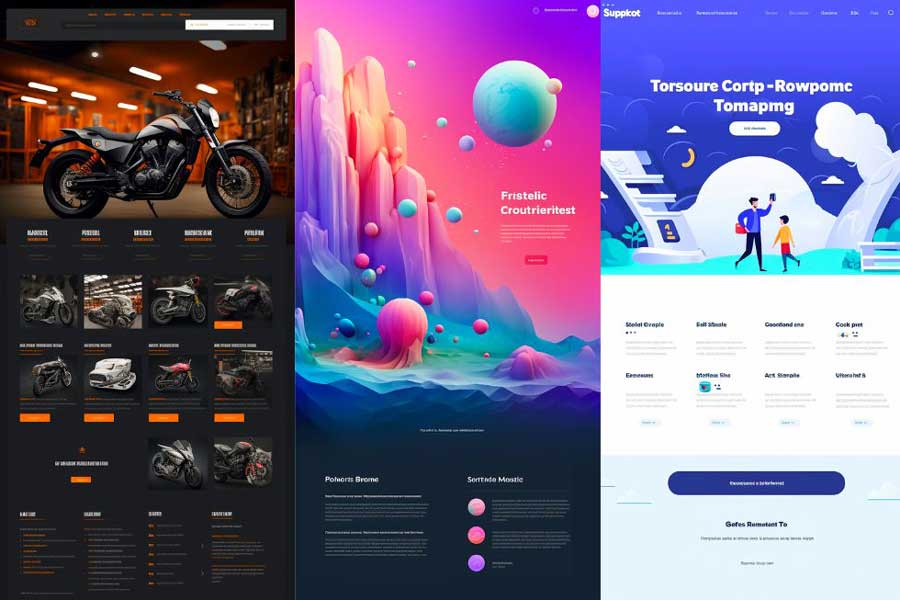
Are you curious about how to leverage Midjourney for web design?
MidJourney is an A.I. Art platform that can assist you in generating a broad array of unique and creative web design ideas.
It’s NOT a typical web design tool, but it can give you quick ideas in a fraction of the time a web designer would take to develop them.
While these designs are far from being perfect, it’s a fantastic tool to quickly and easily generate ideas for your website.
In addition to generating multiple ideas quickly, you can refer to specific styles, and techniques and you can even ask the A.I. to mimic your favorite web designs.
BTW—You can also consume this content in video form on my YouTube channel.
PS. Before designing your website, you might want to define your brand first—check out my other article on how to use ChatGPT for brand strategy.
Also, check out my other article where I describe how to use Midjourney for logo design.
Midjourney Web Design Prompts
The outcome will depend greatly on your input—but you can start with a simple prompt like this:
/imagine an eCommerce website for a motorcycle store —ar 9:16
However, the more data you give the A.I. to work with, the more accurate results you’ll get.In this article, I will show you how to write better prompts.
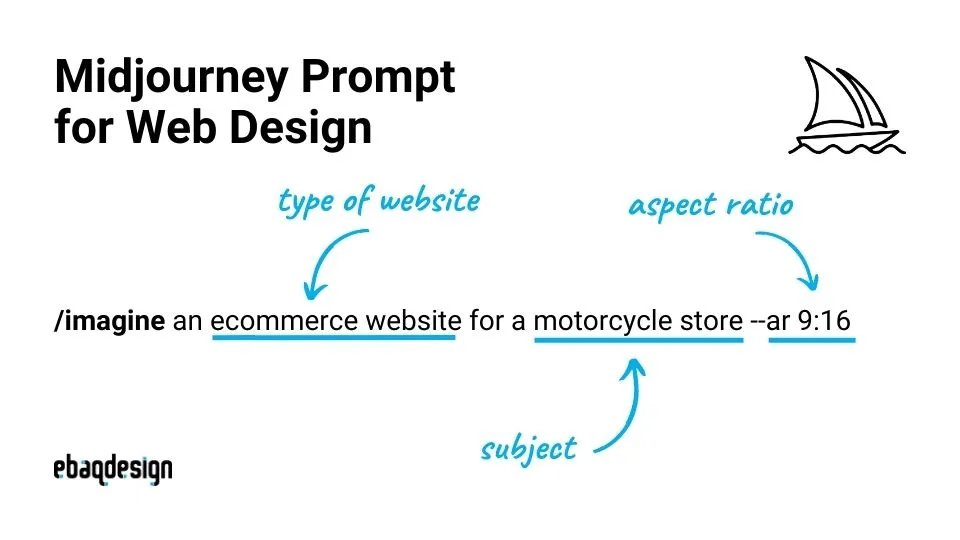
Here's how to write a prompt for web design in Midjourney:
- Use vertical aspect ratio (— ar 9:16) which will give you better results (longer images with more sections).
- Using words like: web design, ux/ui design, website design etc.
- Describing the style, color, technique (photo driven, illustration, abstract) etc. will get you better results.
Just note that Midjourney is NOT good with text, so you will have to use a tool like Figma or Adobe XD to refine your designs.
Then you can develop your website using tools like Webflow, or Squarespace.
For that, I recommend you also check out my other article where I describe my web design process in detail.
Now, let’s dive right into designing websites using Midjourney.
1. Choose website type
First of all, you need to decide on what type of website you want.
It could be an eCommerce website, business/portfolio website, blog/news or magazine website, etc.
Each type of website has its own unique advantages and disadvantages, so you’ll need to decide on what type of website you want.
eCommerce Website
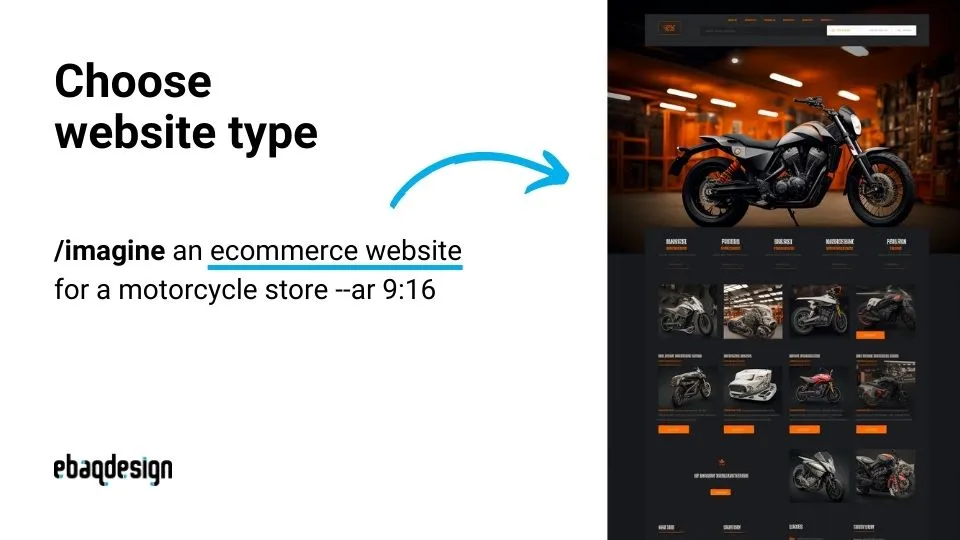
The first example is the eCommerce website—here’s a prompt example:
/imagine an ecommerce website for a motorcycle store --ar 9:16
This is simply a type of website that allows businesses to sell products and services online.
So you could assume that there will be a sections with products list, prices, categories, etc.
Business/Portfolio Website
Another type of website could a portfolio website—an example of the prompt:
/imagine a portfolio website for a graphic designer, minimalist, clean --ar 9:16
This is a type of website that showcases your work, whether you’re a photographer, artist or other service provider.
Blog/News and Magazine Website
Another popular type of website is blog/news and magazine website—here’s a prompt example:
/imagine a blog website for a tech magazine, modern, vibrant --ar 9:16
These websites are often used by companies in industries like journalism, education, and entertainment.
You could assume that it will features some content like articles, news, podcasts etc.
Types of websites:
- eCommerce Website
- Business/Portfolio Website
- Blog/News and Magazine Website
- Informational/Directory Website
- Community/Online Forum Website
- Event/Membership Website
- Personal/Entertainment Website
2. Describe the style
Besides specifying on the type of website you want, it’s also important to indicate the style you aim for.
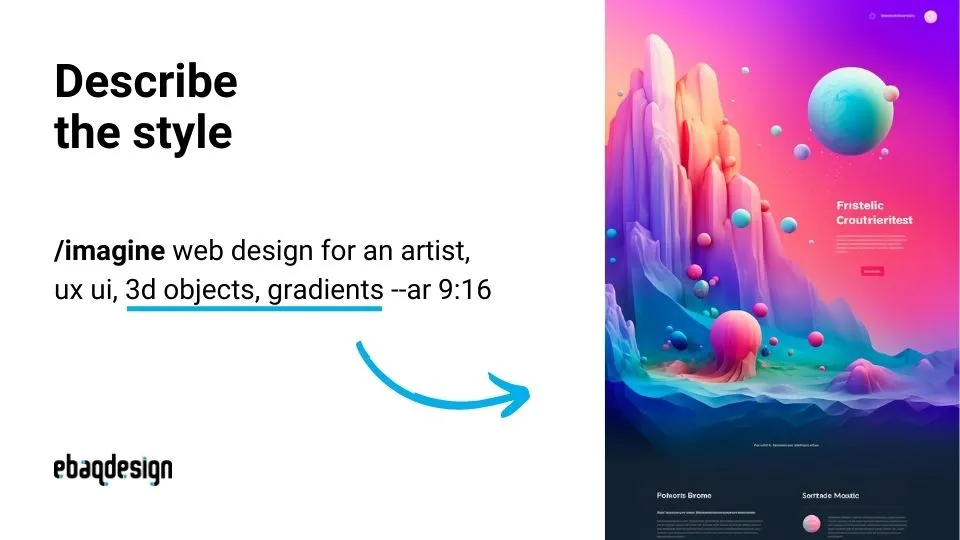
This could be essentially either a photo-driven website, illustrative or abstract one.
3D & Abstract style
/imagine web design for an artist, ux ui, 3d objects, gradients --ar 9:16
Different styles can create different feelings, and by describing the style in your prompts, you can get your website designed in a certain vibe.
For example, if you need your brand to create a modern and clean look and feel—then use words like “modern” and “clean”, but you can go a step further and indicate a specific style, like Minimalist for example.
Minimalist Style
Minimalist style is characterized by simplicity and a focus on functionality.
/imagine a portfolio website for a graphic designer, minimalist, clean --ar 9:16
This style is often associated with a clean and uncluttered look, which makes it a great choice for businesses that want to convey a sense of professionalism and sophistication.
Retro Style
The Retro style is characterized by its use of old or outdated styles or trends.
/imagine a blog website for a vintage fashion magazine, retro, vibrant --ar 9:16
This style incorporates elements from the past and gives your website a nostalgic feel, which can be appealing to certain audiences.
Style descriptors:
- Minimalistic / Clean
- Vintage / Retro
- Elegant / Classy
- Luxury / High-end
- Cartoonish / Cute
- Sci-fi / Futuristic
- Vibrant / Pastel
- Bright / Dark
3. Use image prompt
Another way to get better results with your prompts is to use an image of an existing website.
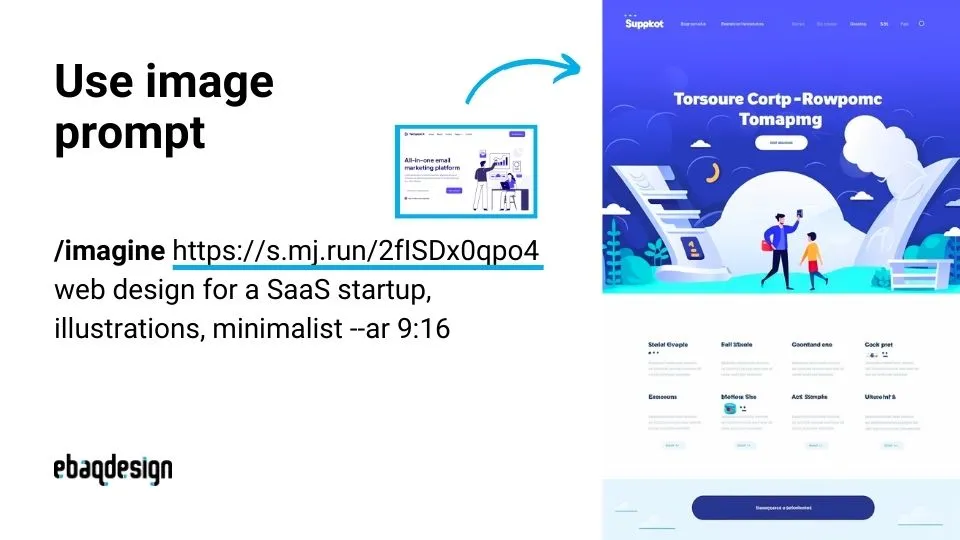
This allows you to give the AI a visual reference to work from—Prompt example:
/imagine https://s.mj.run/2fISDx0qpo4 web design for a SaaS startup, illustrations, minimalist --ar 9:16
In this case, I asked Midjourney to create a website design that matches the style and feel of the image above.
I simply browsed some templates and used a preview of this Webflow template as a reference.
Get inspiration from:
- Webflow Templates
- Squarespace Templates
- Awwwards
- Behance
- Dribbble
4. Use custom zoom
Another interesting feature is the new “custom zoom” mode.
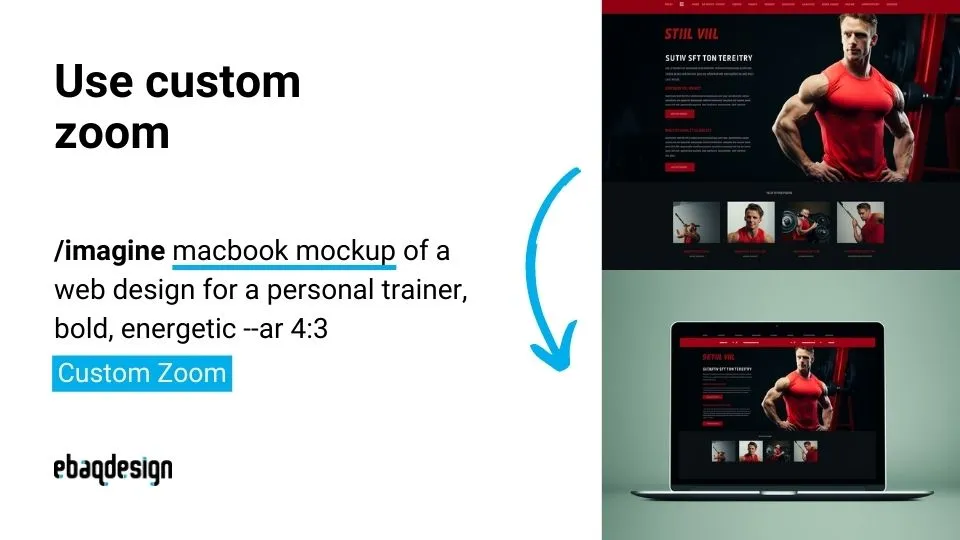
It essentially allows you to quickly create mockups of your website (show it on a macbook for exmaple).
/imagine macbook mockup of a web design for a personal trainer, bold, energetic --ar 4:3
In this case, I simply clicked the button “Custom Zoom” and changed the prompt slightly by adding “macbook mockup" in front of it.
5. Use remix mode
Remix mode is also another new Midjourney feature worth testing out.
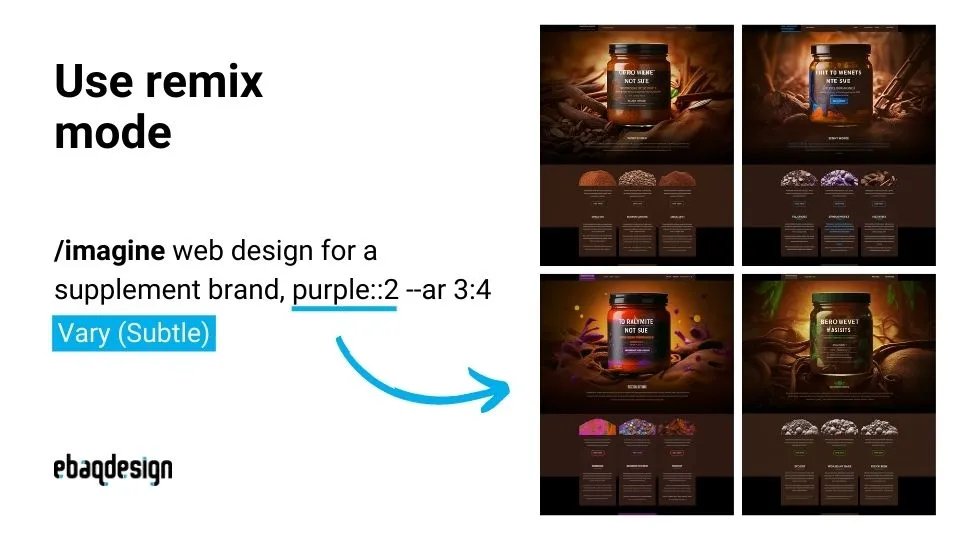
It basically allows you to take an existing design and iterate on it to create new designs.
/imagine web design for a supplement brand, purple::2 --ar 3:4
I simply clicked the button “Vary (Subtle)” and then change the color from purple to blue, brown and green to create a different color variations of the same design.
PS. I also use prompt weights here to make sure Midjourney pays twice as much attention to the color (add ::2 after the word).
Conclusion
Using AI tools like MidJourney can be an effective way to streamline your process and help you explore a lot of ideas, and so fast.
However, I believe that AI won’t entirely replace a web designer’s job, it will rather help us, designers, to generate more ideas much faster.
Ultimately, you will still need the expertise of a professional designer to tweak your designs and polish them up.
Whether you're a seasoned designer or just starting out, MidJourney can be a valuable tool in your web design process, as long as you know how to use it.
Also check out my article on how to use Midjourney to recreate stock photos.
Ready to build a brand people remember?
Tell me what you’re launching, changing, or trying to make look better.